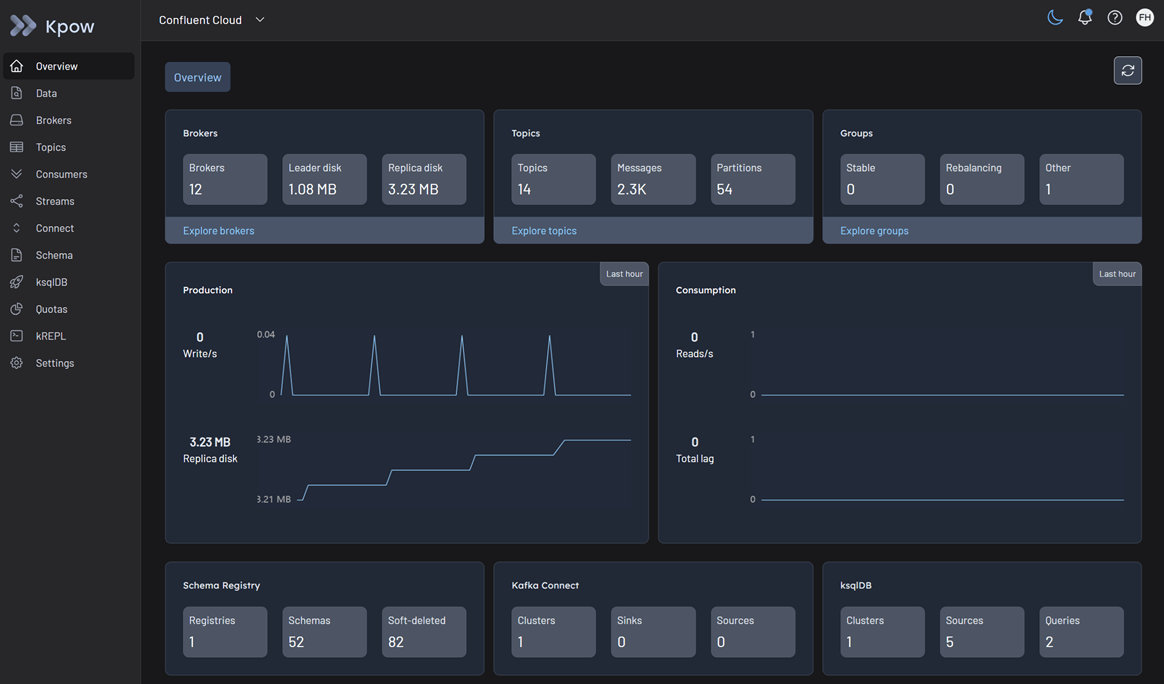
Confluent Kafka cluster
Kpow works out of the box with Confluent Cloud. It provides full visibility into your managed topics, consumer groups, and brokers using standard Kafka protocols. For more details, refer to our Kafka cluster configuration documentation.
Cluster authentication
Confluent Cloud secures broker connections over TLS. Depending on your organization's security posture, you can authenticate Kpow using standard API Keys, OAuth/OIDC, or Mutual TLS (mTLS).
Important: All Confluent Cloud connections require SSL_ENDPOINT_IDENTIFICATION_ALGORITHM=https to verify the broker's hostname.
SASL/PLAIN (API keys)
This is the most common method for connecting to Confluent Cloud. You must generate a Cluster API Key and Secret from the Confluent Cloud Console.
Configure Kpow with the following connection properties, replacing the placeholders with your Cluster API Key details:
SECURITY_PROTOCOL=SASL_SSL
SASL_MECHANISM=PLAIN
SASL_JAAS_CONFIG=org.apache.kafka.common.security.plain.PlainLoginModule required username="<CLUSTER_API_KEY>" password="<CLUSTER_API_SECRET>";
SSL_ENDPOINT_IDENTIFICATION_ALGORITHM=https
SASL/OAUTHBEARER (OAuth/OIDC)
If your Confluent Cloud environment is configured for identity federation via OAuth/OIDC, you can connect Kpow using a Client ID and Client Secret associated with your identity pool.
Configure Kpow with the following standard Kafka OAuth properties:
SECURITY_PROTOCOL=SASL_SSL
SASL_MECHANISM=OAUTHBEARER
SASL_LOGIN_CALLBACK_HANDLER_CLASS=org.apache.kafka.common.security.oauthbearer.secured.OAuthBearerLoginCallbackHandler
SASL_OAUTHBEARER_TOKEN_ENDPOINT_URL=https://oauth.confluent.cloud/token
SASL_JAAS_CONFIG=org.apache.kafka.common.security.oauthbearer.OAuthBearerLoginModule required clientId="<CLIENT_ID>" clientSecret="<CLIENT_SECRET>" extension_logicalCluster="<LKC_ID>" extension_identityPoolId="<POOL_ID>";
SSL_ENDPOINT_IDENTIFICATION_ALGORITHM=https
Note: The extension_logicalCluster and extension_identityPoolId are specific parameters required by Confluent Cloud's OAuth implementation.
Mutual TLS (mTLS)
If you are using a Confluent Cloud dedicated cluster with mTLS enabled, you must provide Kpow with the appropriate certificates.
Configure your Kpow environment with the following:
SECURITY_PROTOCOL=SSL
SSL_KEYSTORE_LOCATION=/path/to/keystore.jks
SSL_KEYSTORE_PASSWORD=<KEYSTORE_PASSWORD>
SSL_KEY_PASSWORD=<KEY_PASSWORD>
SSL_KEYSTORE_TYPE=PKCS12
SSL_TRUSTSTORE_LOCATION=/path/to/truststore.jks
SSL_TRUSTSTORE_PASSWORD=<TRUSTSTORE_PASSWORD>
SSL_TRUSTSTORE_TYPE=PKCS12
SSL_ENDPOINT_IDENTIFICATION_ALGORITHM=https
Access control (authorization)
Authorization in Confluent Cloud is managed centrally using Role-Based Access Control (RBAC) and Kafka ACLs.
Because Kpow is an engineering toolkit designed to manage and monitor clusters, the identity used by Kpow (e.g., your Cluster API Key or OAuth Service Account) requires appropriate privileges:
- Confluent RBAC: Assigning the
CloudClusterAdminrole to the identity grants Kpow full visibility and management capabilities over the cluster. If you prefer the principle of least privilege, you can assign a mix ofDeveloperRead,DeveloperWrite, andDeveloperManageroles. - Kafka ACLs: Alternatively, you can configure standard Kafka ACLs for highly granular, topic-level or group-level access. Kpow natively supports viewing and managing these ACLs directly within its UI. See the ACL management documentation for details.
Confluent Cloud metrics API integration
Kpow retrieves the following information via the Confluent Metrics API.
- Broker disk information (
io.confluent.kafka.server/retained_bytes) - Active connection count (
io.confluent.kafka.server/active_connection_count)
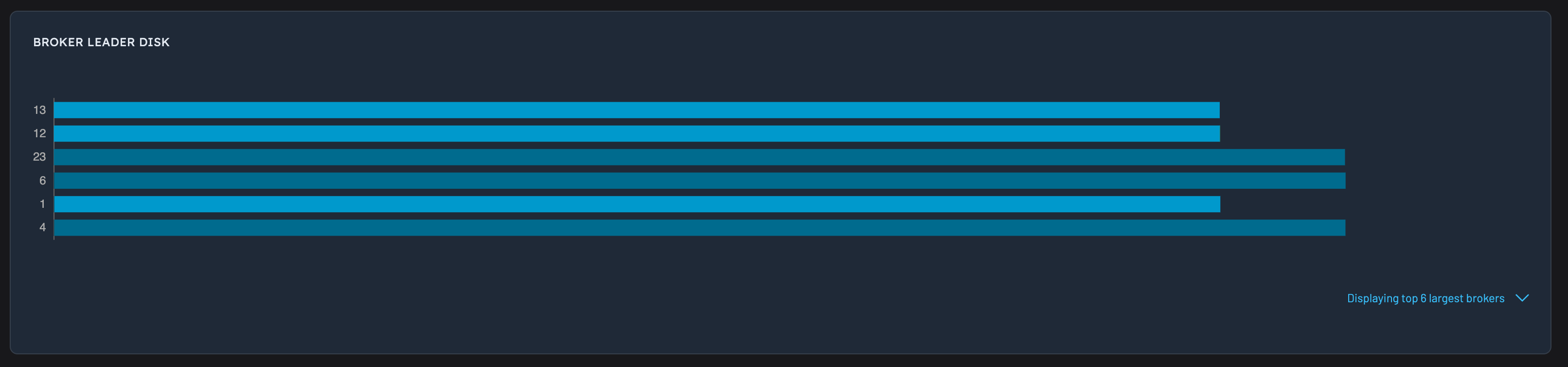
Kpow requires this integration to show disk information (both topic and broker) as Confluent Cloud does not support the Kafka AdminClient function that normally returns this data.
Create a cloud API key
To enable this integration, first create a new API key in Confluent Cloud.
Please Note: From the Confluent Cloud Metrics documentation:
You must use a Cloud API Key to communicate with the Metrics API. Using the Cluster API Key that is used to communicate with Kafka causes an authentication error.
Next, add these additional environment variables to your Kpow's deployment:
CONFLUENT_API_KEY=XXXYYYZZZZ
CONFLUENT_API_SECRET=XXXYYYZZZZYYYZZZZ
Kpow will now collect telemetry about your Confluent Cloud cluster using the Metrics API. Once configured disk metrics/stats will start appearing in Kpow's UI.
Confluent Cloud metrics will also be available via Kpow's Prometheus Integration.
API limitations
Confluent Cloud's metrics API has the following limitations:
- Maximum of 50 requests per minute per IP address
- Maximum of 1000 results returned per metrics query
By default, Kpow will scrape disk information for all topic partitions. Given Confluent Cloud's imposed limitations it may not be feasible to query at a topic-partition granularity. For example, if you have over 50, 000 partitions in your cluster, you will exceed the imposed rate limiting.
Configuration
CONFLUENT_DISK_MODE
To get around the API limitations imposed by Confluent Cloud's metrics API, Kpow has an additional environment variable: CONFLUENT_DISK_MODE.
Currently, two modes are supported:
COMPLETE(default): data is queried at a topic-partition granularity, all replica disk information is complete.INFERRED: data is queried at a topic granularity. Topic-partition replica disk information is estimated based on other Kpow telemetry (number of messages in partition, average size of record, etc). Replica disk information at a topic granularity is complete.
If you are bumping up against any of the Confluent Cloud API limitations, it is recommended to set CONFLUENT_DISK_MODE=INFERRED if you are comfortable with the topic-partition replica disk data being estimated.
CONFLUENT_METRICS_URL
If you are using the self-managed Confluent Platform, you can set CONFLUENT_METRICS_URL=https://my-metrics-endpoint.
The default metrics endpoint is https://api.telemetry.confluent.cloud/v2/metrics/cloud/query
CONFLUENT_PARALLELISM
Specifies the number of parallel HTTP requests made to the Metrics API when collecting disk telemetry. Defaults to 8.
Multi-tenant Confluent Cloud
To connect to two clusters that share the same BOOTSTRAP, but are accessed with different auth credentials, provide a unique CLUSTER_ID environment variable for each cluster definition, for example:
BOOTSTRAP=pkc-5nym1.us-east-1.aws.confluent.cloud:9092
CLUSTER_ID=confluent-cloud-dev
SECURITY_PROTOCOL=SASL_SSL
SASL_MECHANISM=PLAIN
SASL_JAAS_CONFIG=org.apache.kafka.common.security.plain.PlainLoginModule required username="user-1" password="pass-1";
SSL_ENDPOINT_IDENTIFICATION_ALGORITHM=https
CONFLUENT_API_KEY=XXXYYYZZZZ
CONFLUENT_API_SECRET=XXXYYYZZZZYYYZZZZ

BOOTSTRAP_2=pkc-5nym1.us-east-1.aws.confluent.cloud:9092
CLUSTER_ID_2=confluent-cloud-stage
SECURITY_PROTOCOL_2=SASL_SSL
SASL_MECHANISM_2=PLAIN
SASL_JAAS_CONFIG_2=org.apache.kafka.common.security.plain.PlainLoginModule required username="user-2" password="pass-2";
SSL_ENDPOINT_IDENTIFICATION_ALGORITHM_2=https
CONFLUENT_API_KEY_2=XXXYYYZZZZ
CONFLUENT_API_SECRET_2=XXXYYYZZZZYYYZZZZ
Note: the CLUSTER_ID environment variable must be unique across all clusters defined in Kpow, and can be any unique identifier (eg, the string confluent-cloud-stage)
Quickstart
This command starts a Kpow container configured to connect to Confluent Cloud using your Cluster API Key, while also enabling the Metrics API using your Cloud API Key.
docker run -d -p 3000:3000 --name kpow \
  --env ENVIRONMENT_NAME="Confluent Cloud" \
  --env BOOTSTRAP="<BOOTSTRAP_SERVER_ADDRESS>" \
  --env SECURITY_PROTOCOL="SASL_SSL" \
  --env SASL_MECHANISM="PLAIN" \
  --env SASL_JAAS_CONFIG='org.apache.kafka.common.security.plain.PlainLoginModule required username="<CLUSTER_API_KEY>" password="<CLUSTER_API_SECRET>";' \
  --env SSL_ENDPOINT_IDENTIFICATION_ALGORITHM="https" \
  --env CONFLUENT_API_KEY="<CLOUD_API_KEY>" \
  --env CONFLUENT_API_SECRET="<CLOUD_API_SECRET>" \
  --env LICENSE_ID="<LICENSE_ID>" \
  --env LICENSE_CODE="<LICENSE_CODE>" \
  --env LICENSEE="<LICENSEE>" \
  --env LICENSE_EXPIRY="<LICENSE_EXPIRY>" \
  --env LICENSE_SIGNATURE="<LICENSE_SIGNATURE>" \
  factorhouse/kpow:latest
For brevity, Kpow authorization configuration has been omitted. See Simple Access Control to enable necessary user actions.
Once the container is running, navigate to http://localhost:3000 to access the Kpow UI.