Multi-cluster management
Multi-cluster does not mean multi-region, install Kpow in proximity to your Kafka resources.
One instance of Kpow can manage up to twelve Apache Kafka clusters (and their associated resources). The screenshot below shows Kpow connected to two clusters with the following environment names (and associated connection configuration):
- ENVIRONMENT_NAME = Plain, and
- ENVIRONMENT_NAME_2 = ACLCluster
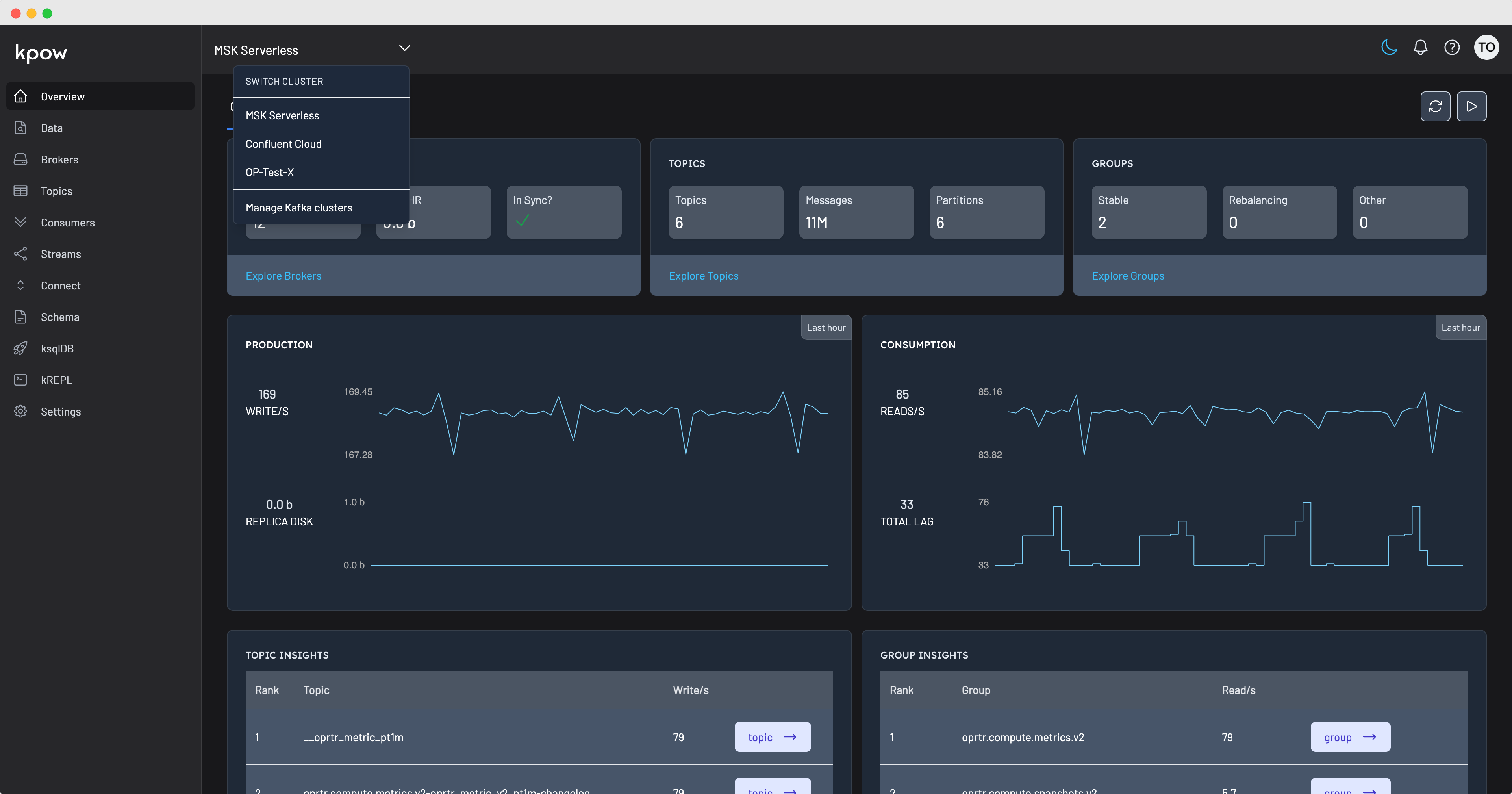
When configuring multiple clusters, the first configured cluster is your primary cluster.
The primary cluster holds the Kpow internal topics. You can switch the primary cluster at any time.
Resources
Kpow will manage as many clusters as your license permits - you may have to increase the memory and CPU to ensure that the regular snapshotting process executes within thirty seconds.
Information on snapshotting performance of each cluster is available at 'settings -> performance'.
Configuration
To configure multiple clusters, simply repeat the connection configuration with _2, _3, _4 suffixes.
To configure multiple Kafka Connect, Schema Registry, or ksqlDB instances, define a comma-separated list of instance IDs using the environment variables below. Kpow uses each resource ID as a prefix for its related environment variables:
- Kafka Connect:
CONNECT_RESOURCE_IDS - Schema Registry:
SCHEMA_REGISTRY_RESOURCE_IDS - ksqlDB:
KSQLDB_RESOURCE_IDS
ENVIRONMENT_NAME for each resource-set is displayed in the Kpow UI when switching cluster.
The sort order in the UI is controlled by these numeric suffixes.
# Cluster 1, Vanilla Apache Kafka

ENVIRONMENT_NAME=Trade Book (Staging)
BOOTSTRAP=kafka-1:19092,kafka-2:19093,kafka-3:19094
SECURITY_PROTOCOL=SASL_PLAINTEXT
SASL_MECHANISM=PLAIN
SASL_JAAS_CONFIG=org.apache.kafka.common.security.plain.PlainLoginModule required username="admin" password="admin-secret";
CONNECT_RESOURCE_IDS=DEV1,QA2
DEV1_CONNECT_REST_URL=http://dev1-connect.mycorp.org:8003
QA2_CONNECT_REST_URL=http://qa2-connect.mycorp.org:8003
SCHEMA_REGISTRY_RESOURCE_IDS=DEV1,QA2
DEV1_SCHEMA_REGISTRY_URL=http://dev1-connect.mycorp.org:8081
QA2_SCHEMA_REGISTRY_URL=http://dev1-connect.mycorp.org:8081
KSQLDB_RESOURCE_IDS=DEV1,QA2
DEV1_KSQLDB_HOST=dev1-ksqldb-server
DEV1_KSQLDB_PORT=8088
QA2_KSQLDB_HOST=qa2-ksqldb-server
QA2_KSQLDB_PORT=8088

# Cluster 2, Confluent Cloud + Schema Registry

ENVIRONMENT_NAME_2=Outbound Payments (Staging)
BOOTSTRAP_2=pkc-1234.us-east-1.aws.confluent.cloud:9092
SECURITY_PROTOCOL_2=SASL_SSL
SASL_MECHANISM_2=PLAIN
SASL_JAAS_CONFIG_2=org.apache.kafka.common.security.plain.PlainLoginModule required username="..." password="...";
SSL_ENDPOINT_IDENTIFICATION_ALGORITHM_2=https
SCHEMA_REGISTRY_URL_2=https://psrc-1234.us-east-2.aws.confluent.cloud
SCHEMA_REGISTRY_AUTH_2=USER_INFO
SCHEMA_REGISTRY_USER_2=...
SCHEMA_REGISTRY_PASSWORD_2=...

# Cluster 3, etc.ENVIRONMENT_NAME_3=...