Webhook
Flex can send Data Governance (Audit log) records to your Slack, all you need to do is configure a webhook.
This enables real-time delivery of actions, alerts, or metadata to platforms like Slack, Microsoft Teams, or any custom endpoint.
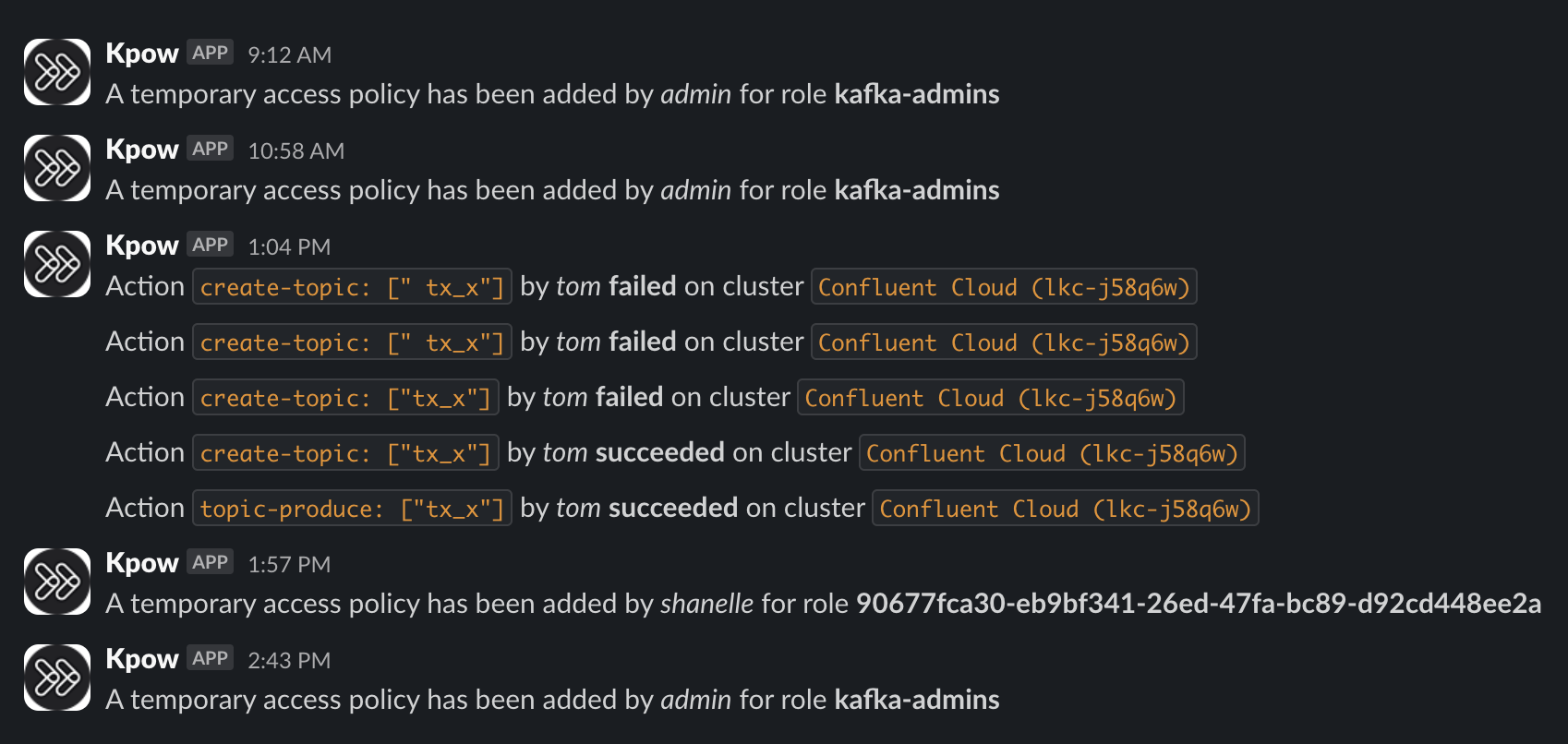
Configuration
Configure the following environment variables:
| Variable | Required | Description |
|---|---|---|
WEBHOOK_PROVIDER | Yes | One of: slack, teams, generic |
WEBHOOK_URL | Yes | Endpoint that receives the webhook event via POST |
WEBHOOK_VERBOSITY | No | Controls event types sent: MUTATIONS, QUERIES, or ALL (default: MUTATIONS) |
Example configuration
Slack
export WEBHOOK_PROVIDER="slack"
export WEBHOOK_URL="https://hooks.slack.com/services/T02ABCDEF/B03GHIJKL/abcd1234efgh5678ijkl9012"
Microsoft teams
export WEBHOOK_PROVIDER="teams"
export WEBHOOK_URL="https://prod-08.australiaeast.logic.azure.com:443/workflows/9e2032be5881463896e583f83324cfef/triggers/manual/paths/invoke?api-version=2016-06-01&sp=%2Ftriggers%2Fmanual%2Frun&sv=1.0&sig=abc123def456ghi789"
Generic/Local
export WEBHOOK_PROVIDER="generic"
export WEBHOOK_URL="http://localhost:9000"
tip
Be sure to keep the structure of the URL intact to match your webhook provider's format — even if parts of it are redacted or rotated.
Verbosity
You can configure the verbosity with the SLACK_WEBHOOK_VERBOSITY environment variable. Options are:
MUTATIONS(default) - only mutations will be sent via the webhookQUERIES- only data inspect queries will be send via the webhookALL- both mutations and queries will be sent via the webhook
Payload format
Webhook events are delivered via HTTP POST as structured JSON.
The schema below describes the generic webhook payload format using JSON Schema:
{
  "type": "object",
  "properties": {
    "via": {
      "type": "string",
      "enum": ["api", "ui"]
    },
    "cluster_id": {
      "type": "string"
    },
    "is_staged": {
      "type": "boolean"
    },
    "request_type": {
      "type": "string",
      "enum": ["kpow", "flex", "platform"]
    },
    "ts": {
      "type": "integer"
    },
    "id": {
      "type": "string"
    },
    "tenant_id": {
      "type": "string"
    },
    "subjects": {
      "type": "array",
      "items": {
        "type": "string"
      }
    },
    "event_type": {
      "type": "string"
    },
    "user": {
      "type": "object",
      "properties": {
        "roles": {
          "type": "array",
          "items": {
            "type": "string"
          },
          "uniqueItems": true
        },
        "name": {
          "type": "string"
        }
      },
      "required": [
        "roles",
        "name"
      ]
    },
    "resource_id": {
      "type": "string"
    },
    "schedule": {
      "type": "object",
      "properties": {
        "prerequisite": {
          "type": "string"
        },
        "expires_ms": {
          "type": "integer"
        },
        "started": {
          "type": "integer"
        },
        "state": {
          "type": "string"
        }
      },
      "required": [
        "prerequisite",
        "expires_ms",
        "started",
        "state"
      ]
    },
    "error": {
      "type": "object",
      "properties": {
        "type": {
          "type": "string"
        },
        "message": {
          "type": "string"
        },
        "required_action": {
          "type": "string"
        }
      },
      "required": [
        "type",
        "message"
      ]
    }
  },
  "required": [
    "via",
    "cluster_id",
    "is_staged",
    "request_type",
    "ts",
    "id",
    "tenant_id",
    "subjects",
    "event_type",
    "user",
    "resource_id"
  ]
}
Use cases
Webhook integration enables you to:
- Post audit log events to Slack or Microsoft Teams channels in real time
- Send user actions or mutations to internal logging or monitoring systems
- Trigger custom workflows via platforms like Zapier, n8n, or Logic Apps
- Integrate audit records into your SIEM or security compliance pipeline
- Notify engineering or DevOps teams when high-impact operations occur
- Test integration pipelines using a local HTTP server (
generic)