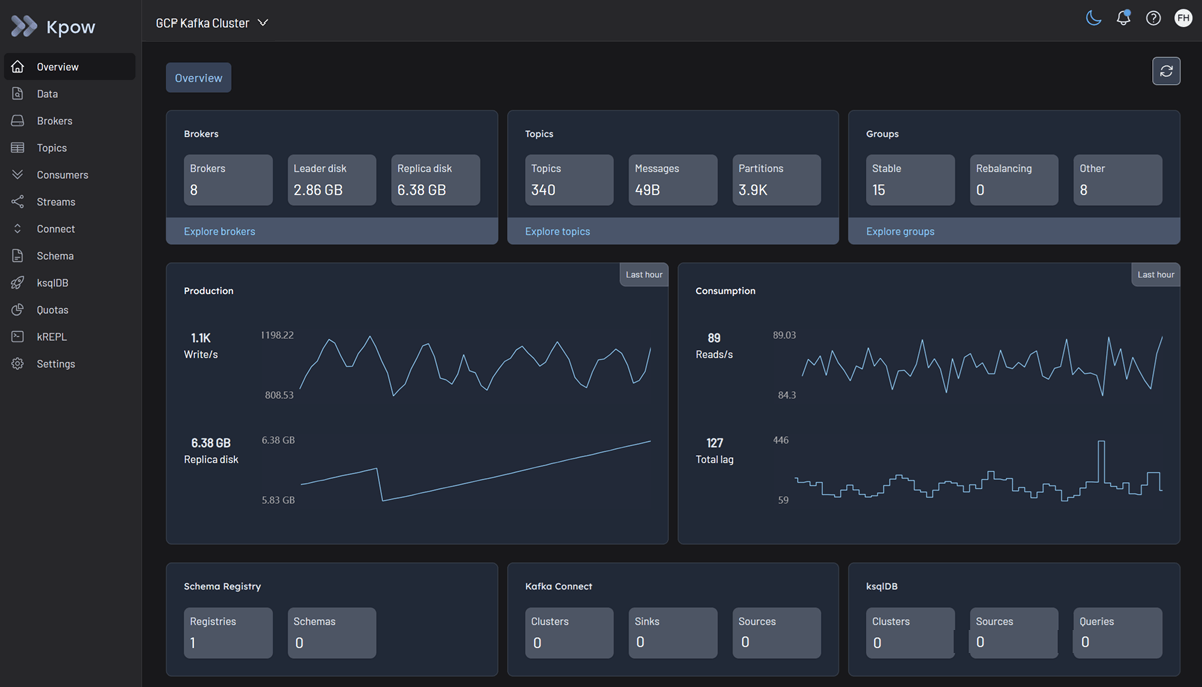
Kafka cluster
In order to use Google MSAK with Kpow you will need to use the GCP-specific build of Kpow:
docker pull factorhouse/kpow:96.2-temurin-ubi
Due to a bug in Google's GcpBearerAuthCredentialProvider that disallows multiple credential providers on the classpath at once, GCP functionality is provided in a separate build until resolved.
Configuration for authenticating to Google Cloud
Authentication to a Kafka cluster can be configured using either the OAUTHBEARER (recommended) or SASL/PLAIN mechanism, as outlined in the Google Cloud documentation.
For the OAUTHBEARER mechanism, simply set your Kpow connection fields appropriately, e.g.
SECURITY_PROTOCOL=SASL_SSL
SASL_MECHANISM=OAUTHBEARER
SASL_LOGIN_CALLBACK_HANDLER_CLASS=com.google.cloud.hosted.kafka.auth.GcpLoginCallbackHandler
SASL_JAAS_CONFIG=org.apache.kafka.common.security.oauthbearer.OAuthBearerLoginModule required;
For the SASL/PLAIN mechanism, it can be configured as e.g.
SECURITY_PROTOCOL=SASL_SSL
SASL_MECHANISM=PLAIN
SASL_JAAS_CONFIG=org.apache.kafka.common.security.plain.PlainLoginModule required username="EMAIL_ADDRESS" password="PASSWORD_VALUE";
See the Google Cloud documentation for more information, including how to obtain the credentials from a service account key JSON file, or an access token.
Access control with IAM and Kafka ACLs
Managed Service for Apache Kafka uses two levels of access control:
- Identity and Access Management (IAM) roles: These roles control who can connect and manage your Managed Service for Apache Kafka cluster using Google Cloud APIs and tools.
- See this Google Cloud documentation for details about predefined IAM roles and permissions associated with Managed Kafka APIs
- Apache Kafka ACLs: For more granular control over access to resources within a cluster, such as topics and consumer groups, use Kafka ACLs.
- Kpow provides robust support for Kafka ACLs. See the ACL management documentation for details.
Limitations
Kpow's functionality may be impacted by the limitations of Google Cloud Managed Service for Apache Kafka.
Google Managed Kafka Connect
Google Managed Kafka Connect is currently in Preview. Integration with Kpow will be addressed at a later stage.
Quickstart
This command starts a Kpow container configured to connect to a Google Cloud Managed Service for Apache Kafka cluster using native IAM authentication (OAUTHBEARER).
docker run -p 3000:3000 \
--env BOOTSTRAP="[GCP_BOOTSTRAP_ADDRESS]:9092" \
--env SECURITY_PROTOCOL="SASL_SSL" \
--env SASL_MECHANISM="OAUTHBEARER" \
--env SASL_JAAS_CONFIG="org.apache.kafka.common.security.oauthbearer.OAuthBearerLoginModule required;" \
--env SASL_LOGIN_CALLBACK_HANDLER_CLASS="com.google.cloud.hosted.kafka.auth.GcpLoginCallbackHandler" \
--env LICENSE_ID="<LICENSE_ID>" \
--env LICENSE_CODE="<LICENSE_CODE>" \
--env LICENSEE="<LICENSEE>" \
--env LICENSE_EXPIRY="<LICENSE_EXPIRY>" \
--env LICENSE_SIGNATURE="<LICENSE_SIGNATURE>" \
factorhouse/kpow:96.2-temurin-ubi
For brevity, Kpow authorization configuration has been omitted. See Simple Access Control to enable necessary user actions.
Once the container is running, navigate to http://localhost:3000 to access the Kpow UI.