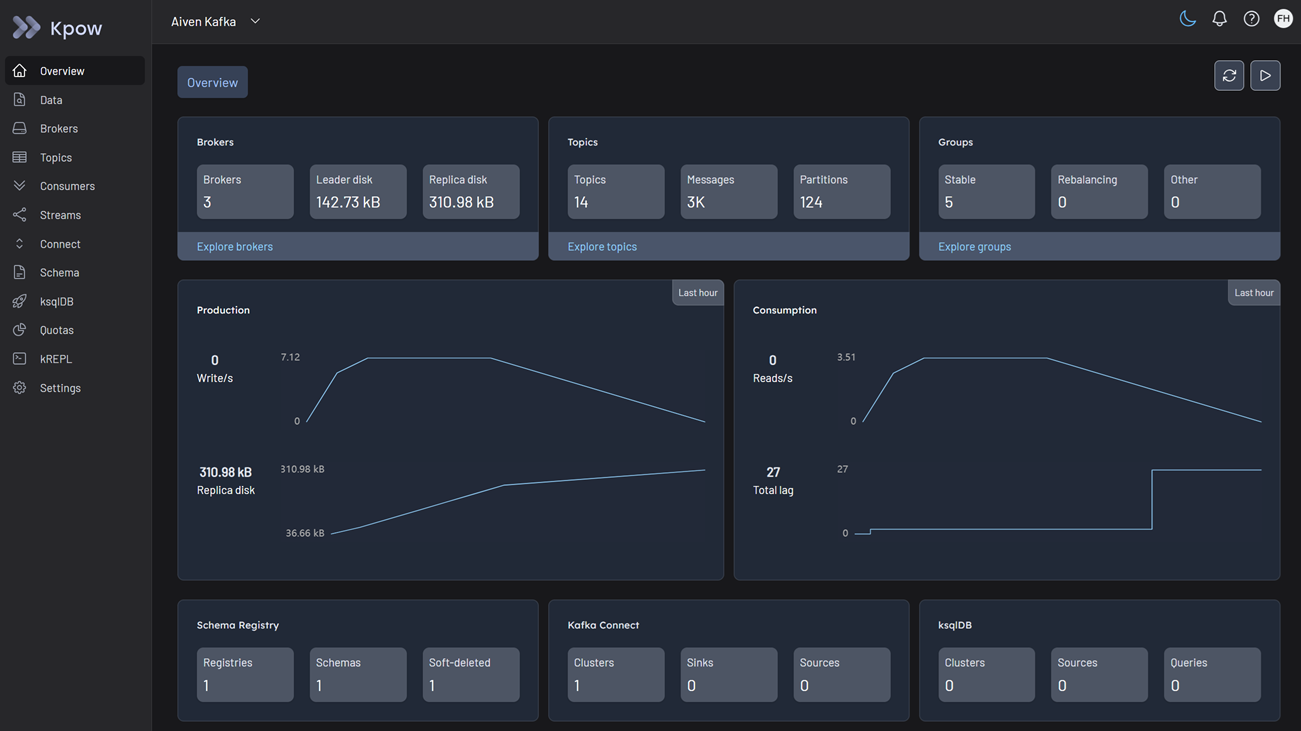
Classic Kafka service
Kpow fully supports Aiven for Apache Kafka (classic), allowing you to seamlessly monitor, manage, and explore your managed Kafka brokers, Karapace Schema Registry, and Standalone Kafka Connect services from a single engineering toolkit.
Cluster authentication
Aiven supports multiple authentication mechanisms. You can configure Kpow to connect using the method that matches your cluster's security settings.
Regardless of the authentication mechanism, Aiven secures connections over TLS. You must download the CA Certificate (ca.pem) from the Aiven Console and provide it to Kpow as your SSL Truststore. Kpow natively supports PEM files, so no keytool conversion is required.
SASL/SCRAM
Aiven supports SASL/SCRAM authentication natively. You can find your username, password, and the specific SASL port in the Aiven Console under "Connection information."
Set the following connection variables:
SECURITY_PROTOCOL=SASL_SSL
SASL_MECHANISM=SCRAM-SHA-256
SASL_JAAS_CONFIG=org.apache.kafka.common.security.scram.ScramLoginModule required username="<SASL_USERNAME>" password="<SASL_PASSWORD>";
SSL_TRUSTSTORE_LOCATION=/path/to/ca.pem
SSL_TRUSTSTORE_TYPE=PEM
Mutual TLS (mTLS)
Aiven heavily utilizes mTLS for cluster authentication. Historically, connecting a Java-based Kafka client required using keytool to convert your downloaded certificates into a Java Keystore (.jks) format, which is a tedious and error-prone process.
Kpow eliminates this hurdle by providing native support for raw PEM files. You do not need to convert your certificates to JKS; you can use the files exactly as they are downloaded from the Aiven Console (ca.pem, service.cert, and service.key).
First, combine your access key and certificate into a single keystore file:
cat service.key service.cert > keystore.pem
Then, configure Kpow with the following properties:
SECURITY_PROTOCOL=SSL
SSL_TRUSTSTORE_LOCATION=/path/to/ca.pem
SSL_TRUSTSTORE_TYPE=PEM
SSL_KEYSTORE_LOCATION=/path/to/keystore.pem
SSL_KEYSTORE_TYPE=PEM
OAuth/OIDC
Aiven also supports OIDC (OpenID Connect) for identity federation. If your cluster is configured for OIDC, you can connect Kpow using standard Kafka OAuth properties:
SECURITY_PROTOCOL=SASL_SSL
SASL_MECHANISM=OAUTHBEARER
SASL_LOGIN_CALLBACK_HANDLER_CLASS=org.apache.kafka.common.security.oauthbearer.secured.OAuthBearerLoginCallbackHandler
SASL_OAUTHBEARER_TOKEN_ENDPOINT_URL=<YOUR_OIDC_TOKEN_ENDPOINT>
SASL_JAAS_CONFIG=org.apache.kafka.common.security.oauthbearer.OAuthBearerLoginModule required clientId="<CLIENT_ID>" clientSecret="<CLIENT_SECRET>";
SSL_TRUSTSTORE_LOCATION=/path/to/ca.pem
SSL_TRUSTSTORE_TYPE=PEM
Access control
Aiven manages data-plane authorization natively using Apache Kafka ACLs.
Once Kpow is connected via your chosen authentication method, you must ensure the connecting user has the appropriate Aiven ACLs configured to access topics and consumer groups.
Kpow provides robust support for managing these ACLs directly in the UI. See the ACL management documentation for details.
Ecosystem integration
If you have provisioned Aiven's managed ecosystem tools, you can seamlessly integrate them into Kpow.
Aiven Schema Registry
Aiven provides a managed Schema Registry (Karapace) that integrates perfectly with Kpow. It relies on Basic Authentication (USER_INFO).
Configure Kpow with the following properties:
SCHEMA_REGISTRY_NAME=Aiven Schema Registry
SCHEMA_REGISTRY_URL=<SCHEMA_REGISTRY_URL>
SCHEMA_REGISTRY_AUTH=USER_INFO
SCHEMA_REGISTRY_USER=<SCHEMA_USERNAME>
SCHEMA_REGISTRY_PASSWORD=<SCHEMA_PASSWORD>
Aiven Kafka Connect
Aiven offers two types of Kafka Connect deployments: "Integrated" and "Standalone".
- Standalone Only: Kpow requires the standard Kafka Connect REST API to monitor and manage connectors. Because Aiven's integrated offering does not expose this public REST URL, Kpow only supports the Standalone Aiven Connect service.
- Service Integration: Creating a Standalone Connect service in Aiven is not enough. You must manually link the Connect service to your Kafka service in the Aiven Console (under "Manage Integrations"). If you skip this step, Aiven will return a
503 Service Unavailableerror, and Kpow will fail to start.
Configure your Standalone Connect cluster with the following properties:
CONNECT_NAME=Aiven Connect
CONNECT_REST_URL=<CONNECT_REST_URL>
CONNECT_AUTH=BASIC
CONNECT_BASIC_AUTH_USER=<CONNECT_USERNAME>
CONNECT_BASIC_AUTH_PASS=<CONNECT_PASSWORD>
Aiven specifics & limitations
Retention policy fix
If you are using an Aiven Free (or a paid plan with strict admin-configured retention limits), Kpow may crash on startup with a PolicyViolationException. This happens because Kpow attempts to auto-create its internal audit log topic (__oprtr_audit_log) with infinite retention (retention.ms="-1"), which Aiven rejects.
To fix this, manually pre-create the __oprtr_audit_log topic in your Aiven Console before launching Kpow. Set the Cleanup Policy to delete and the retention_ms to a finite number allowed by your plan of limit (e.g., 259200000 for 3 days). Kpow will detect the existing topic, bypass auto-creation, and start successfully.
Quickstart
This command starts a Kpow container configured to connect to Aiven using SASL/SCRAM, alongside the Schema Registry and Standalone Connect integrations.
Because Kpow natively supports PEM files, we map the downloaded ca.pem file directly into the Docker container.
docker run -p 3000:3000 \
  -v $(pwd)/ca.pem:/etc/kpow/ca.pem \
  --env BOOTSTRAP="<AIVEN_BOOTSTRAP_URL>:17060" \
  --env SECURITY_PROTOCOL="SASL_SSL" \
  --env SASL_MECHANISM="SCRAM-SHA-256" \
  --env SASL_JAAS_CONFIG='org.apache.kafka.common.security.scram.ScramLoginModule required username="<SASL_USERNAME>" password="<SASL_PASSWORD>";' \
  --env SSL_TRUSTSTORE_LOCATION="/etc/kpow/ca.pem" \
  --env SSL_TRUSTSTORE_TYPE="PEM" \
  --env SCHEMA_REGISTRY_NAME="Aiven Schema Registry" \
  --env SCHEMA_REGISTRY_URL="<SCHEMA_REGISTRY_URL>" \
  --env SCHEMA_REGISTRY_AUTH="USER_INFO" \
  --env SCHEMA_REGISTRY_USER="<SCHEMA_USERNAME>" \
  --env SCHEMA_REGISTRY_PASSWORD="<SCHEMA_PASSWORD>" \
  --env CONNECT_NAME="Aiven Connect" \
  --env CONNECT_REST_URL="<CONNECT_REST_URL>" \
  --env CONNECT_AUTH="BASIC" \
  --env CONNECT_BASIC_AUTH_USER="<CONNECT_USERNAME>" \
  --env CONNECT_BASIC_AUTH_PASS="<CONNECT_PASSWORD>" \
  --env LICENSE_ID="<LICENSE_ID>" \
  --env LICENSE_CODE="<LICENSE_CODE>" \
  --env LICENSEE="<LICENSEE>" \
  --env LICENSE_EXPIRY="<LICENSE_EXPIRY>" \
  --env LICENSE_SIGNATURE="<LICENSE_SIGNATURE>" \
  factorhouse/kpow:latest
For brevity, Kpow authorization configuration has been omitted. See Simple Access Control to enable necessary user actions.
Once the container is running, navigate to http://localhost:3000 to access the Kpow UI.